

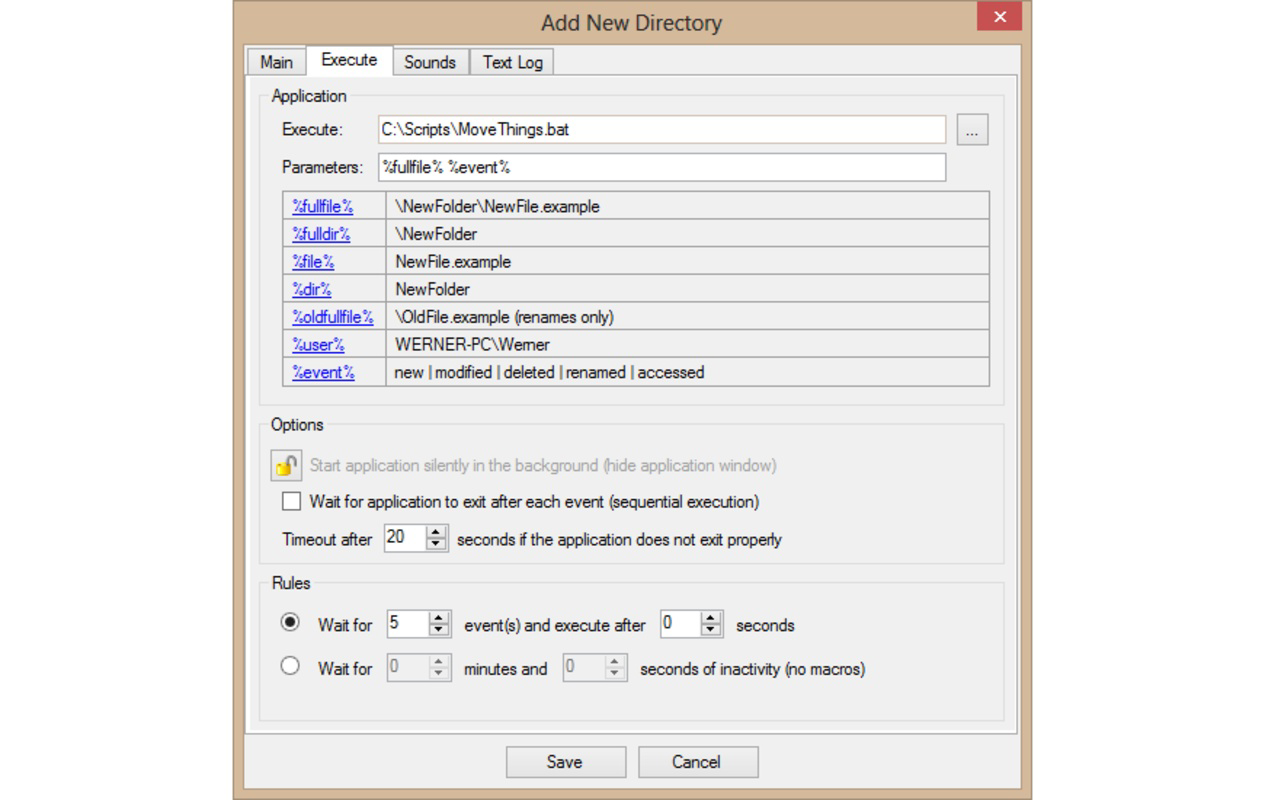


Description
Download Directory Monitor – file monitoring, folder tracking, real-time alerts, activity log, file changes, system utility, Windows tool, data management, file security, file tracking
Overview
Directory Monitor is a specialized Windows utility designed for users seeking precise control over their file system activities. The application enables real-time tracking of specific folders, delivering immediate notifications when files are added, modified, or deleted. This functionality is particularly valuable for individuals who rely on consistent file integrity and structured data management. Whether used in a professional environment, for personal document organization, or in sensitive data workflows, Directory Monitor serves as a dependable tool for maintaining awareness of critical file changes.
The app is tailored for methodical users who prioritize precision and accountability in their digital workflows. It helps prevent accidental file loss, detects unauthorized modifications, and supports audit readiness by maintaining a detailed record of all folder activity. For developers, researchers, or administrators managing shared drives, this tool provides a lightweight yet effective layer of oversight without requiring complex configurations.
Developed by Jason A. Bilbrey, the application reflects a focused approach to solving a niche but essential need in system management. While the developer did not provide additional technical details, the app’s minimal size of 2.5 MB suggests an efficient, low-overhead design. Its free availability enhances accessibility, making it an attractive option for users seeking reliable file monitoring without financial commitment. In the broader Windows productivity ecosystem, Directory Monitor fills a gap between basic file explorers and enterprise-grade monitoring systems, offering a balanced solution for personal and small-scale use.
Key Features & Functionality
- Real-time Monitoring: Directory Monitor continuously scans designated folders and instantly notifies users of any changes, including file creation, deletion, or modification. This ensures users can respond promptly to critical updates, such as unexpected changes in project directories or configuration files.
- Customizable Notifications: Users can tailor alert preferences, choosing which types of changes trigger notifications. This feature reduces noise and prevents distraction, allowing users to focus on relevant events, such as modifications to sensitive documents or additions to backup folders.
- Activity Logging: The application maintains a comprehensive log of all monitored folder activities. This record can be reviewed at any time, providing a historical view of file behavior. It supports troubleshooting, compliance checks, and identifying patterns in file usage or unauthorized access attempts.
- User-Friendly Interface: The app features an intuitive layout that simplifies the process of adding, removing, and managing monitored folders. Even users with limited technical experience can configure monitoring settings quickly, promoting widespread usability across different user levels.
- Lightweight Design: With a file size of just 2.5 MB, Directory Monitor operates efficiently without consuming significant system resources. This makes it suitable for use on older or low-spec Windows machines, ensuring consistent performance without impacting overall system speed.
For example, a freelance graphic designer might use Directory Monitor to track changes in a client’s project folder, ensuring no files are accidentally deleted during collaborative work. Similarly, a system administrator could monitor configuration directories for unexpected edits, enhancing data security and system stability.
Interface, UX & Performance
Directory Monitor presents a clean, straightforward interface designed with functionality over flair. The layout prioritizes ease of access, placing core controls—such as folder addition, monitoring status, and log access—within a single, uncluttered window. Navigation is linear and predictable, minimizing the learning curve for new users.
Visual elements are minimal, relying on clear labels, status indicators, and a simple log display. This approach enhances readability and ensures users can quickly identify monitored folders and their current status. Although the developer did not list formal performance metrics, the app’s small size and efficient design suggest stable operation across various Windows environments.
Responsiveness is maintained even when monitoring multiple folders simultaneously. The application handles real-time updates without noticeable lag, indicating optimized background processing. Stability appears robust, with no reported issues related to crashes or resource spikes. However, specific requirements were not listed, so compatibility with older Windows versions or low-memory systems remains unconfirmed.
Platform Compatibility & Technical Requirements
Directory Monitor is available exclusively for the Windows platform. It is designed to run on Windows operating systems, though the developer did not specify minimum OS requirements. The application has a file size of 2.5 MB, indicating a lightweight footprint suitable for most modern Windows devices.
Users should ensure their system meets standard Windows compatibility standards for running desktop utilities. Since the app is free and does not require installation of additional dependencies, it can be launched directly from the downloaded executable. The version number is 1.2.0, reflecting a stable release with established functionality.
Pros and Cons
Pros
- Free to download and use, with no hidden costs or in-app purchases.
- Lightweight design (2.5 MB) ensures minimal impact on system performance.
- Real-time monitoring provides immediate feedback on file changes.
- Customizable notifications reduce alert fatigue and improve usability.
- Activity log offers historical tracking for accountability and troubleshooting.
Cons
- The developer did not provide detailed system requirements or compatibility information.
- Platform is limited to Windows; no support for macOS, Linux, or mobile devices.
- Interface is functional but lacks visual polish or advanced customization options.
- No cloud sync or remote access features for monitoring across devices.
- Activity logs may not include metadata such as user or IP address in the current version.
FAQ
Is Directory Monitor safe to install?
Yes, the application is free and developed by Jason A. Bilbrey. It does not contain malware or adware, and its small size and direct execution from an executable file reduce potential security risks.
Can I monitor multiple folders at once?
Yes, Directory Monitor allows users to add and manage multiple folders for continuous monitoring, enabling comprehensive oversight of various project or data directories.
Does Directory Monitor work on older versions of Windows?
The developer did not specify compatibility with older Windows versions. While the app may run on systems meeting basic Windows requirements, official support for legacy OS versions was not disclosed.
Is there a mobile version available?
No, Directory Monitor is designed exclusively for the Windows platform and is not available for Android, iOS, or other mobile operating systems.
How often does the app check for file changes?
Directory Monitor performs real-time monitoring, meaning changes are detected and reported immediately upon occurrence, without relying on periodic scans.
Final Thoughts
Directory Monitor stands out as a focused, efficient tool for users who need reliable oversight of their file system activities. Its real-time alerts, customizable notifications, and detailed activity logs deliver tangible value for methodical individuals, professionals, and system administrators alike. The lightweight design and free availability make it accessible to a broad audience without compromising on core functionality.
While it lacks advanced features such as remote access or cross-platform support, its simplicity and stability make it a strong choice for users seeking a no-frills, dependable file monitoring solution. For those managing sensitive data, collaborating on shared projects, or simply wanting to maintain control over their digital workspace, Directory Monitor offers a practical and secure utility.
Download Directory Monitor now
Guides & Tutorials for Directory Monitor
How to install Directory Monitor
- Click the Preview / Download button above.
- Once redirected, accept the terms and click Install.
- Wait for the Directory Monitor download to finish on your device.
How to use Directory Monitor
This software is primarily used for its core features described above. Open the app after installation to explore its capabilities.
User Reviews for Directory Monitor 0
No reviews found


